WhatsApp
Circles
A conceptual feature that lets group admins create reusable member subsets inside large WhatsApp groups — so anyone can notify the right team with one mention instead of tagging every member or disturbing the whole group.
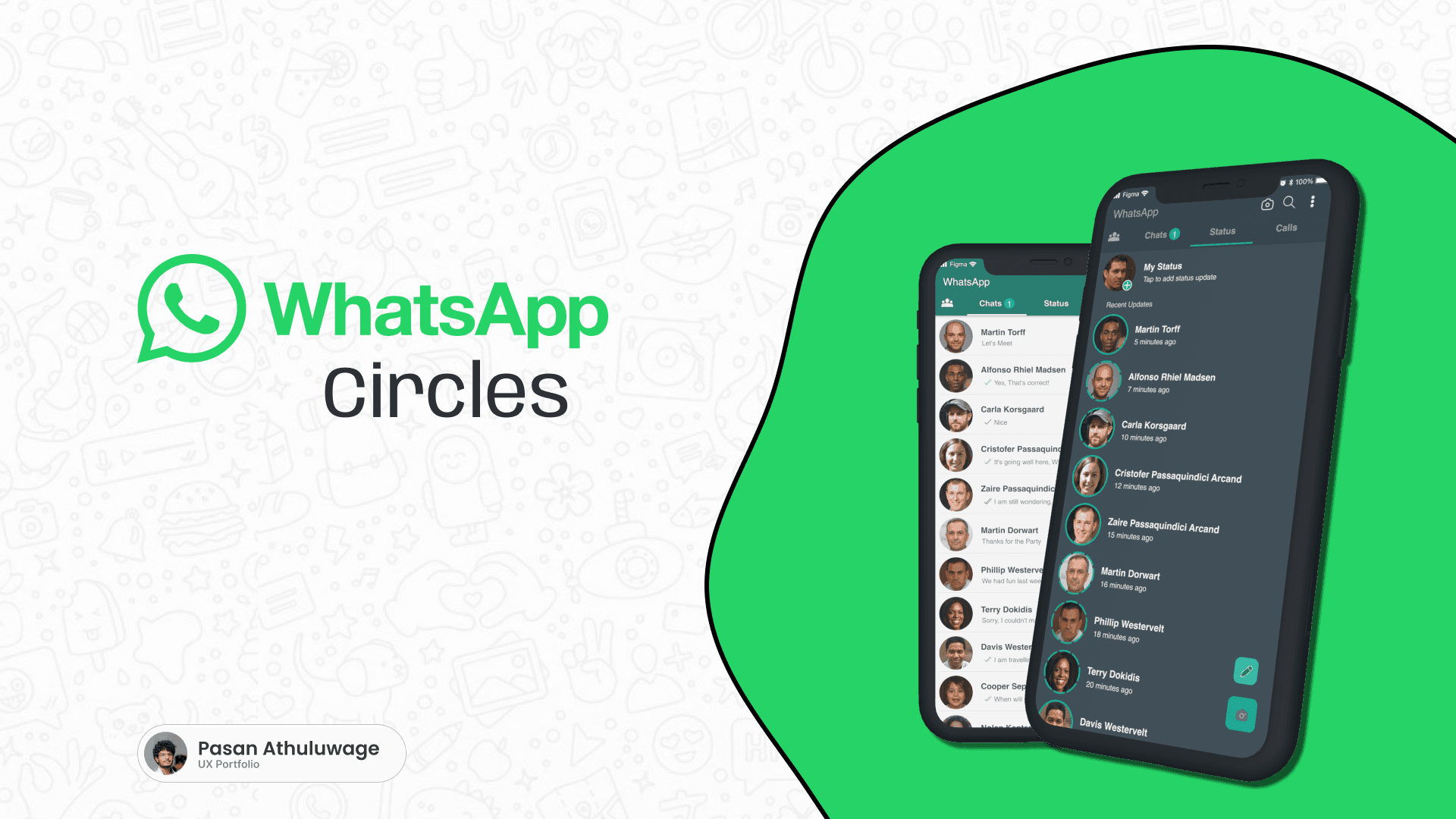
Designed a year before WhatsApp caught up.
WhatsApp Circles is a conceptual feature designed more than a year before WhatsApp introduced its own group member-tagging capability. At the time, groups had no clear way to organize members into meaningful internal teams, departments, roles or functional subsets — users had to mention people one by one, or notify an entire group for a message meant for a handful of people.
One-Line Description
WhatsApp Circles allows admins to create reusable member subsets inside large WhatsApp groups, so users can notify the right team with one mention instead of tagging every member or disturbing the entire group.
Main Objectives
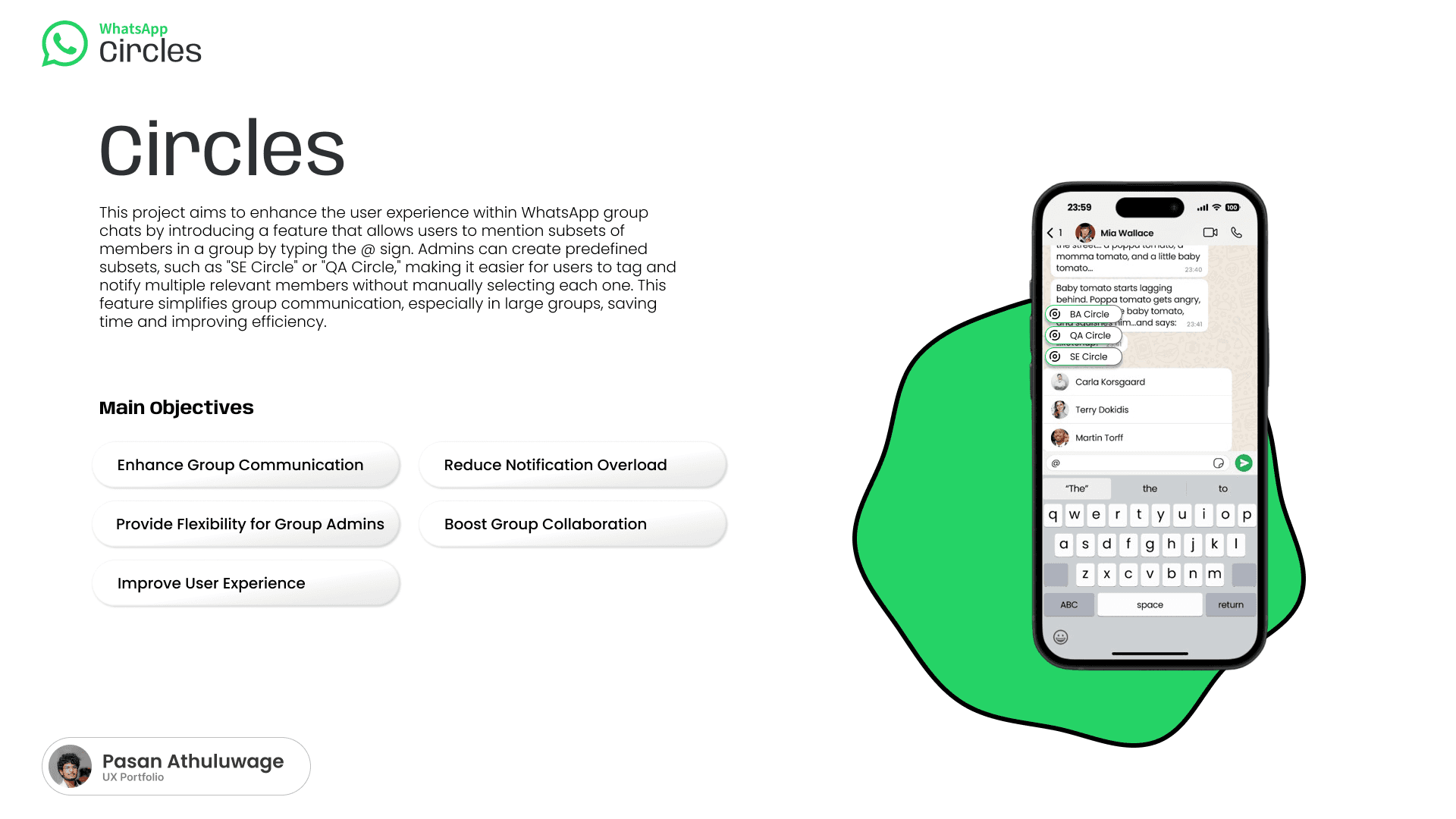
One group, eight different teams.
A software-company WhatsApp group can contain many different roles at once — and when a user wants to notify just one of them, the current options are all inefficient.
Current (Inefficient) Options
Mention every QA member manually
Send the message to the whole group
Create another separate WhatsApp group
Hope the relevant people notice the message
Resulting Problems
Time wasted manually tagging people
Relevant members forgotten
Unrelated users receive unnecessary notifications
Too many smaller groups are created
Conversations become fragmented
Large groups become noisy and difficult to manage
Important messages can be missed
Users experience notification fatigue
Design Opportunity
The opportunity was to introduce an internal communication structure without changing the familiar WhatsApp group experience.
A reusable audience, not a new group.
A Circle is a reusable subset of members inside a WhatsApp group — a team, department, role, project unit, temporary working group, class, event committee, or family subgroup — created and managed by the group admin.
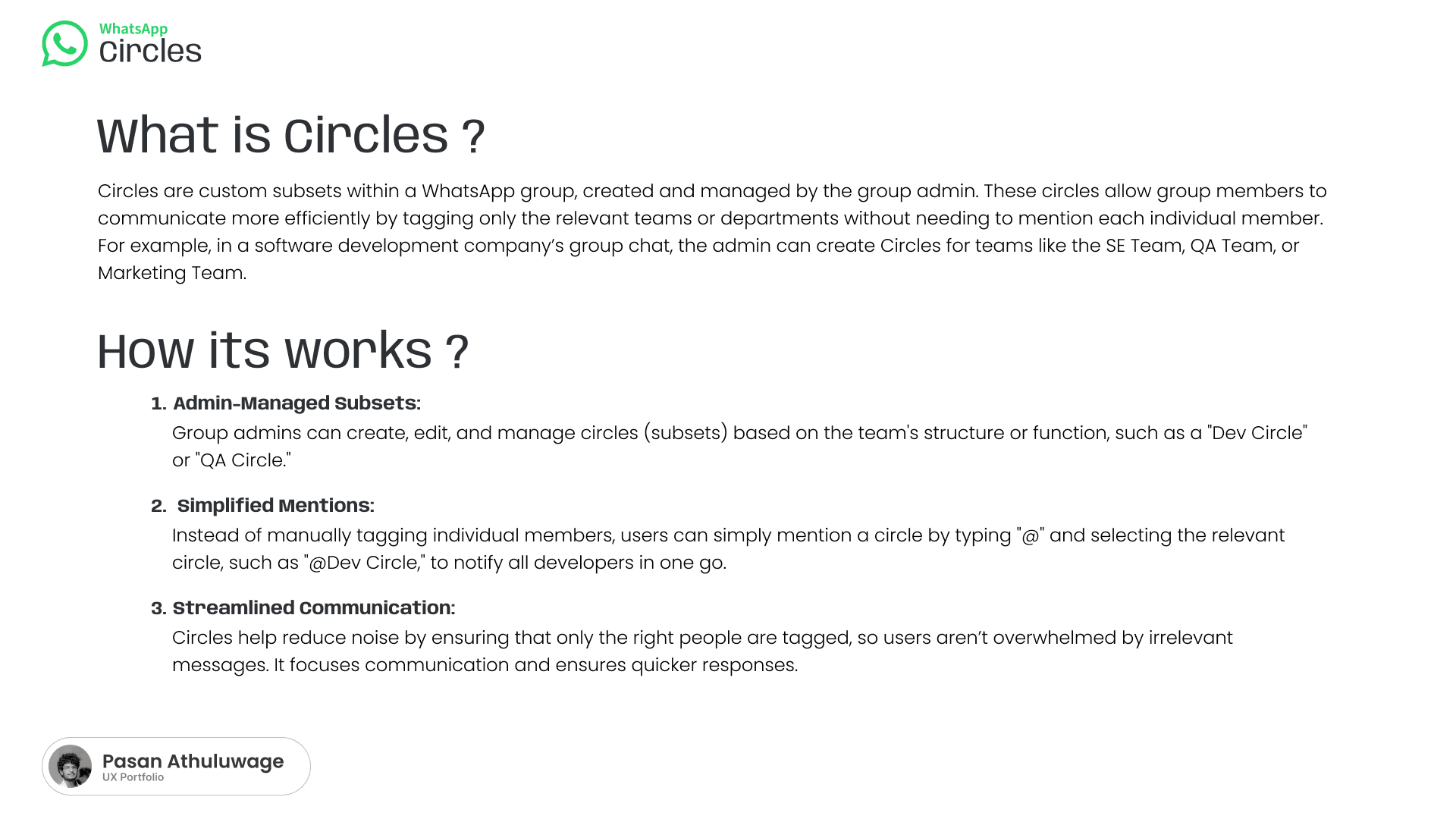
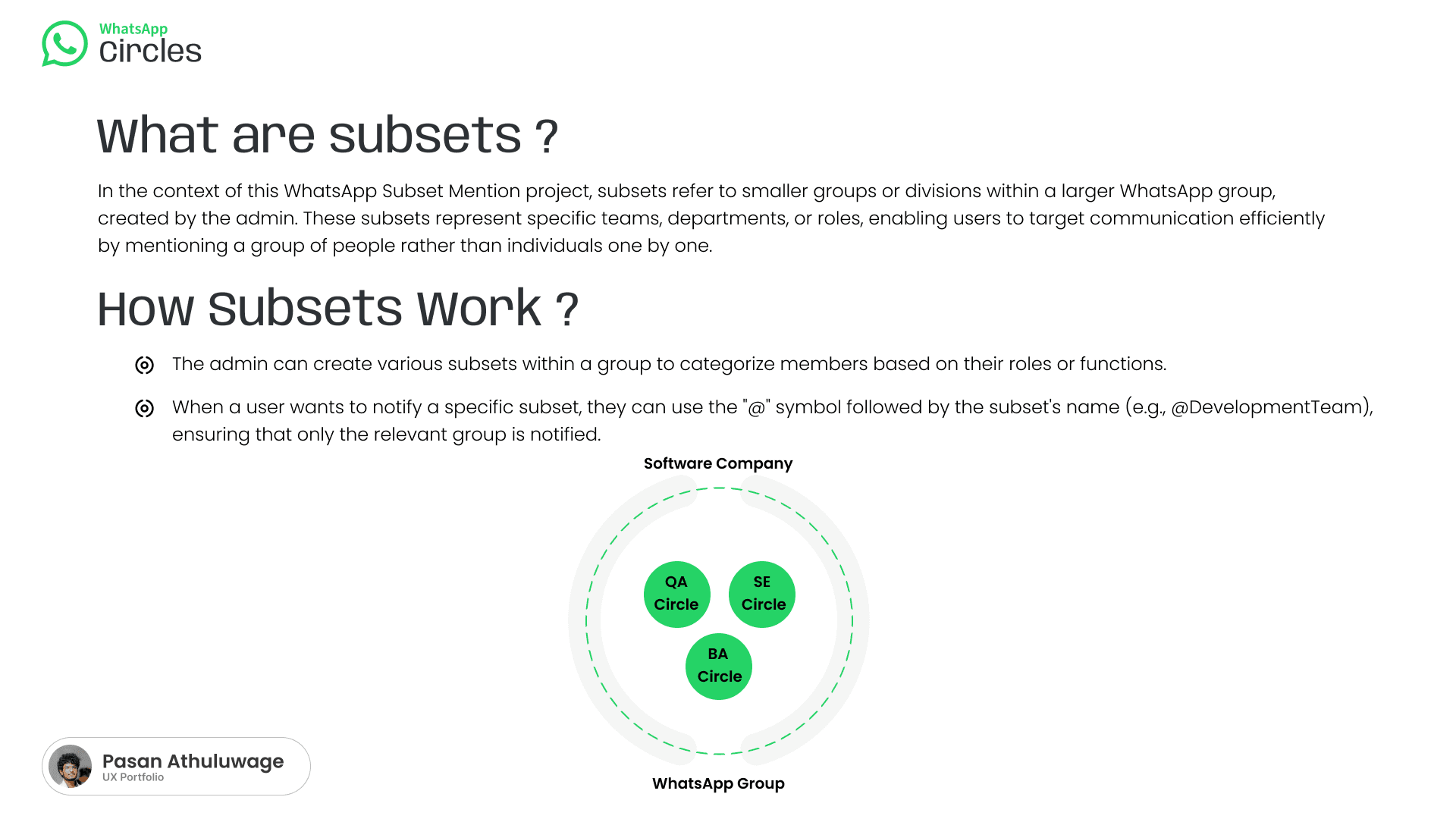
Example
Only members who belong to the selected Circle receive the targeted notification — the message still remains visible in the group chat.
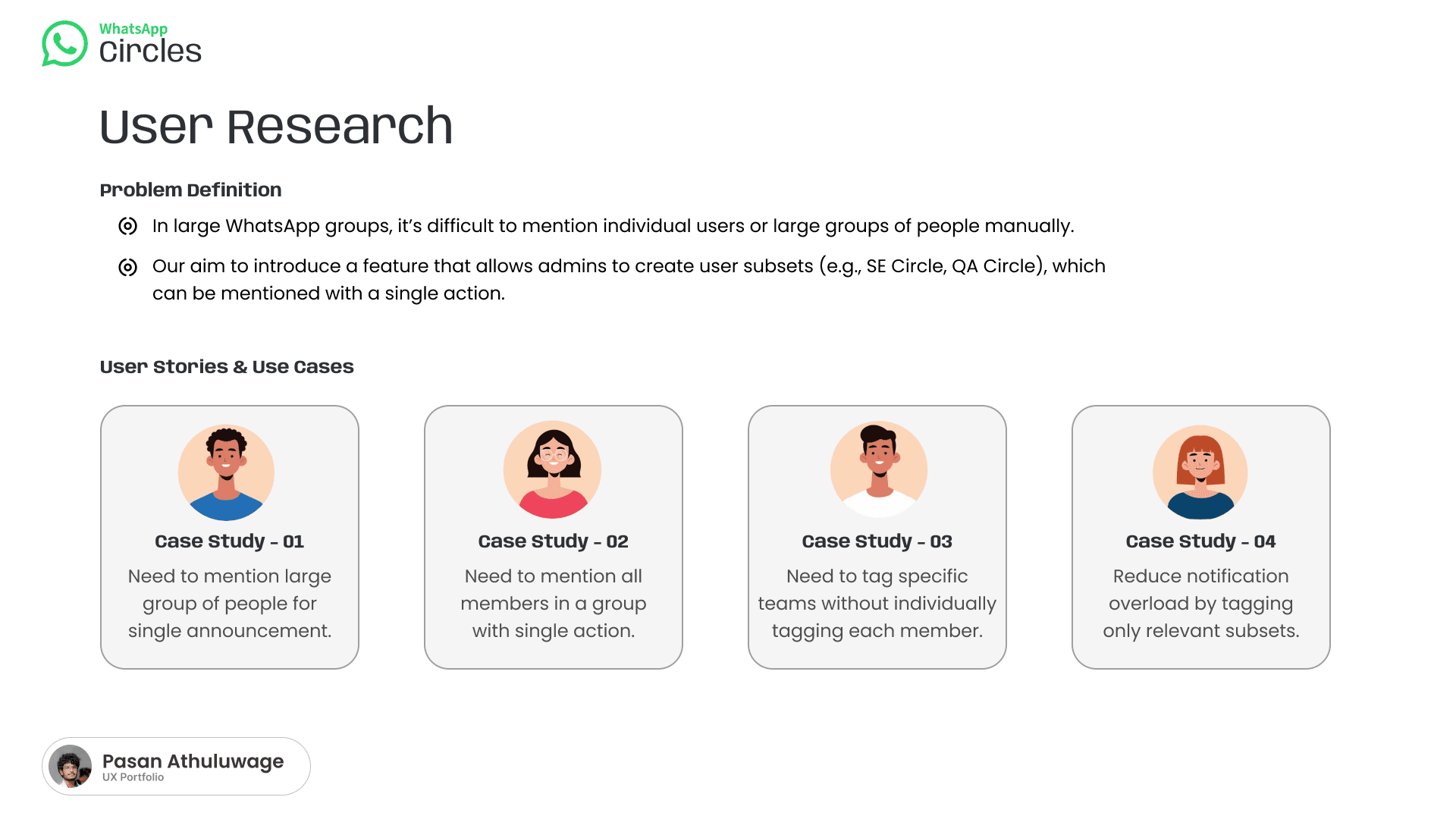
Two problems, four case studies.
The research identified two main problems: mentioning multiple users manually is difficult in large groups, and messaging the whole group creates unnecessary notification overload.
Case Study 01
Mention a Large Group
Notify many people about one announcement. Tag each person individually or notify the whole group.
→ Mention one relevant Circle.
Case Study 02
Mention All Related Members
Mention all members related to a specific function. No reusable subset — must find each person.
→ The relevant members are already grouped inside a Circle.
Case Study 03
Mention a Specific Team
Notify a specific team without manually tagging every member. Manual mentions are repetitive and error-prone.
→ Select a team Circle from the mention list.
Case Study 04
Reduce Notification Overload
Avoid receiving messages unrelated to their role. Whole-group notifications interrupt everyone.
→ Only members inside the selected Circle receive the notification.
Two people, the same frustration.
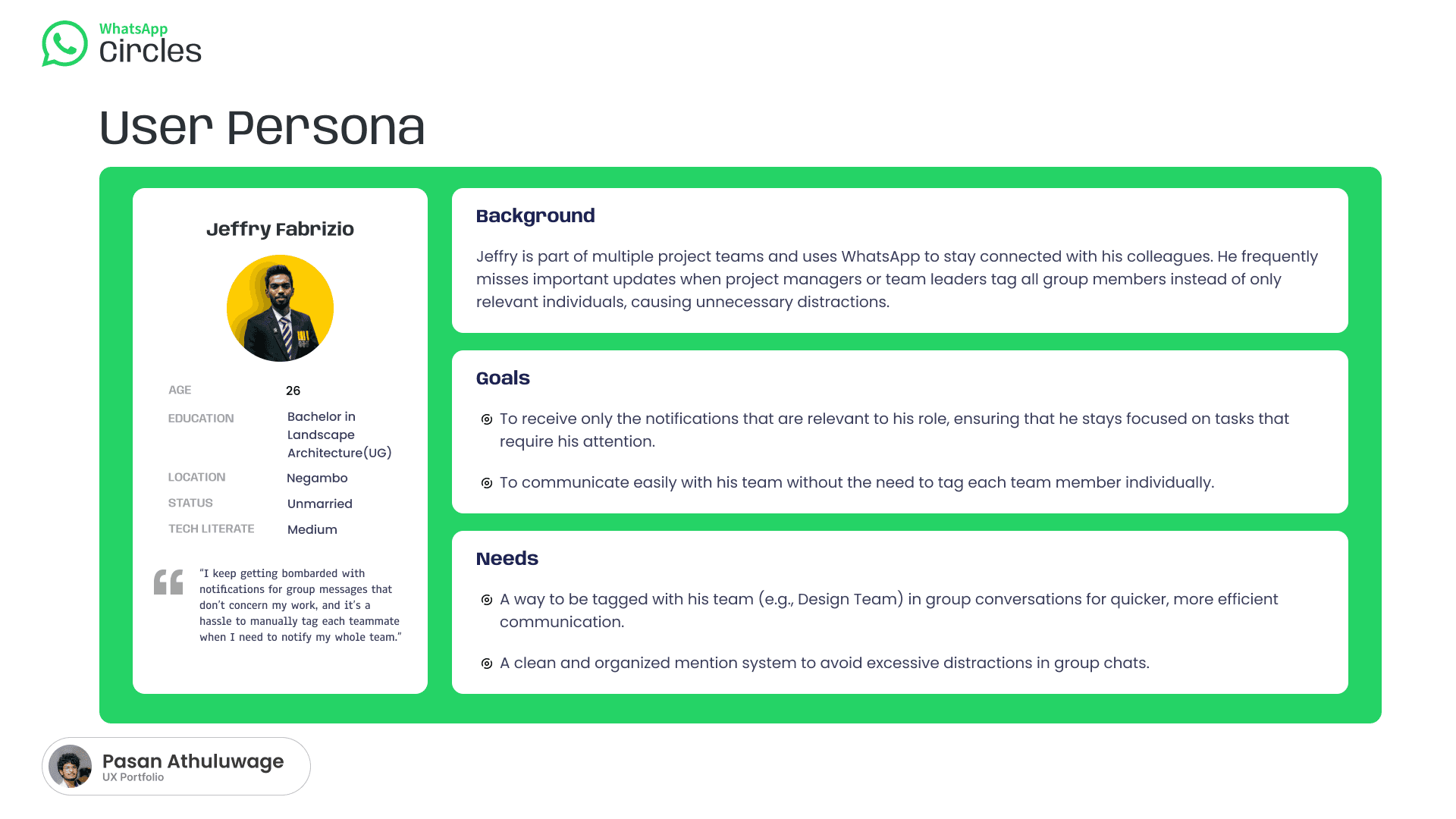
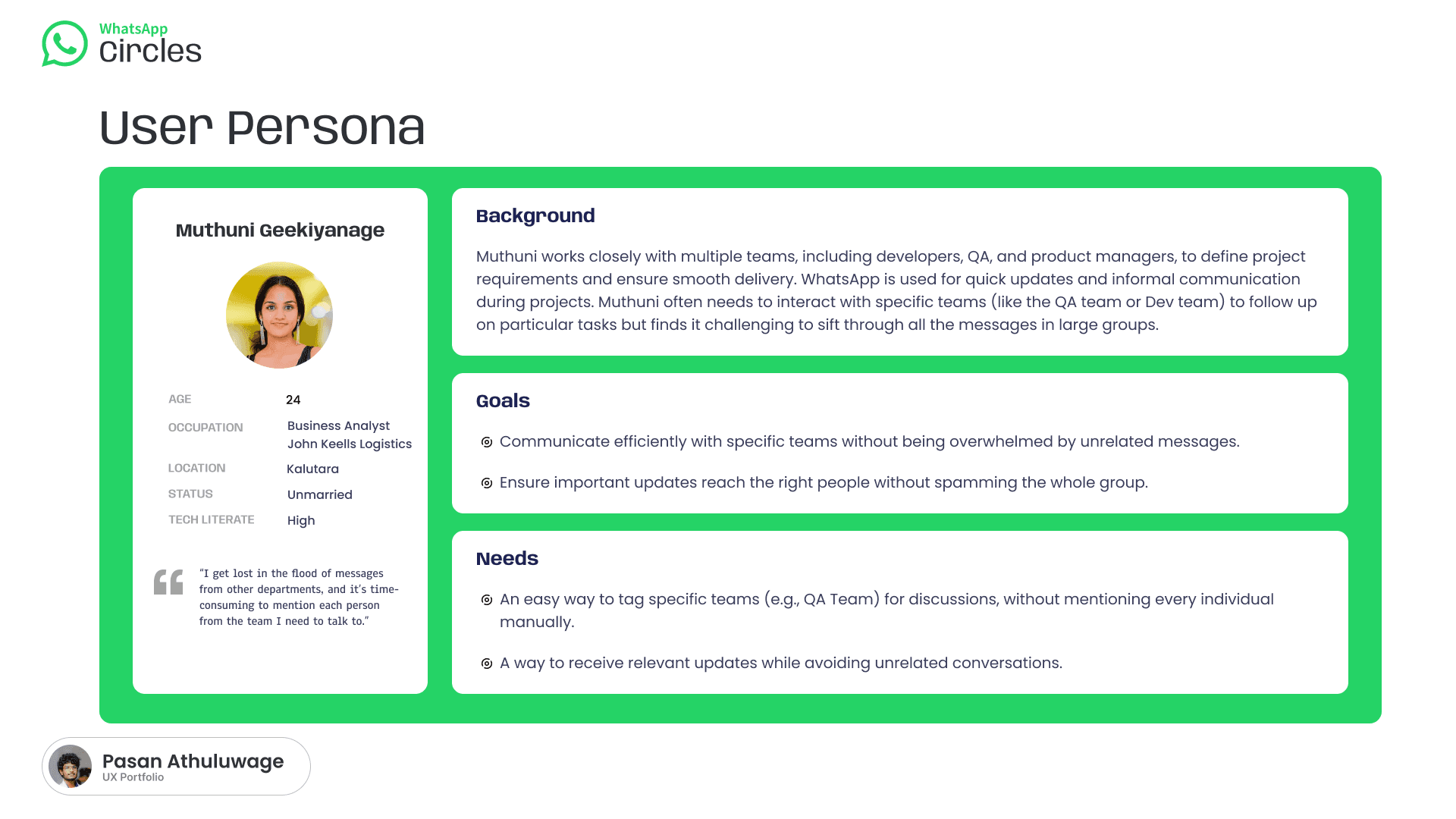
Connecting user needs to a conceptual solution.
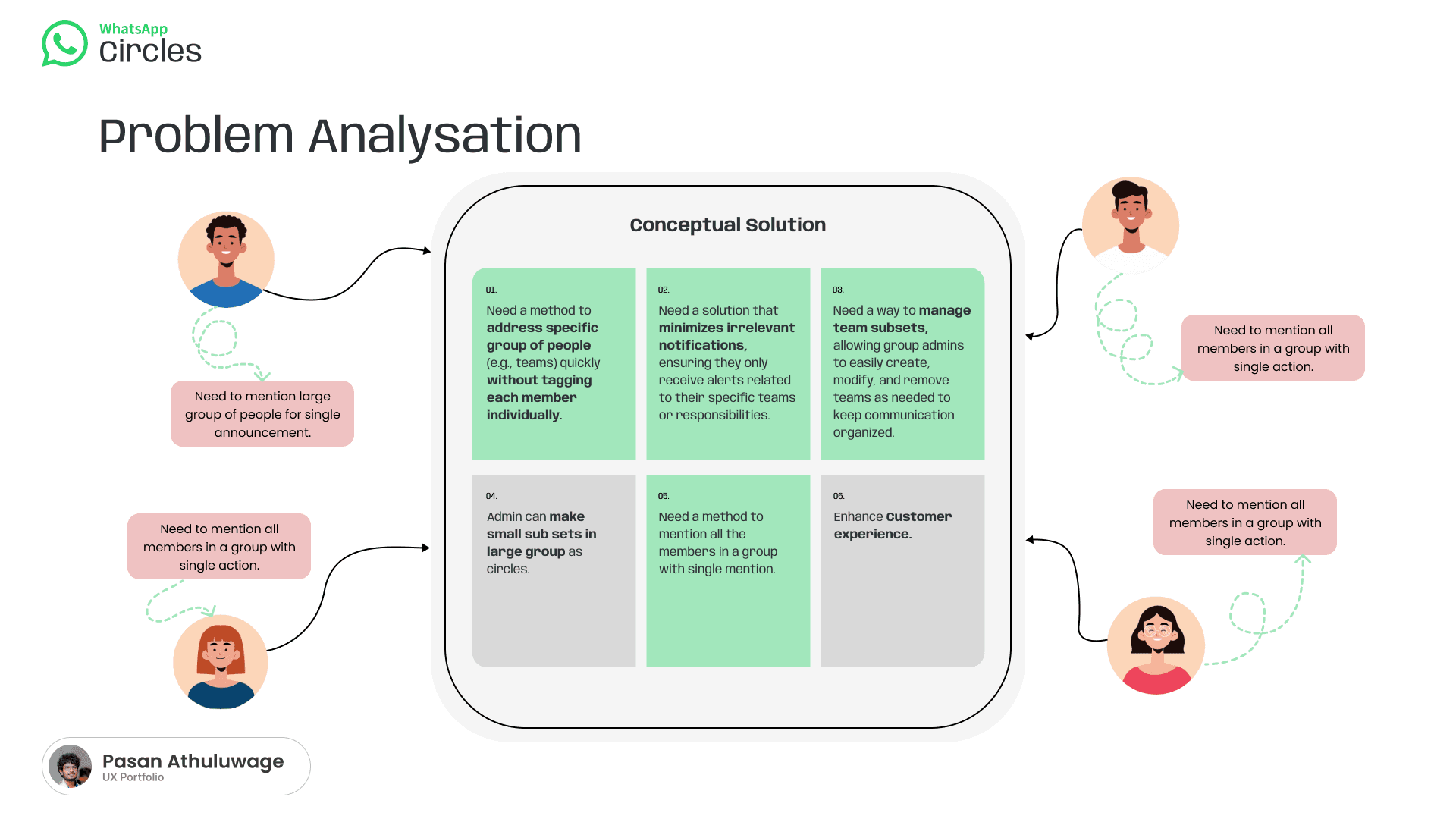
Address a specific group of people without tagging each person individually
→ Create reusable Circles
Minimize irrelevant notifications
→ Notify only members inside the selected Circle
Manage team subsets
→ Allow admins to create, modify and remove Circles
A simple way to select the right audience
→ Display Circles inside the normal @ mention menu
Notify an entire team with one action
→ Allow a single Circle mention
A better communication experience
→ Reduce repetition, noise, confusion and missed messages
Two actors, one shared structure.
The group admin creates and manages Circles; group members select and mention them in the chat. Only the members inside the mentioned Circle receive the targeted notification.
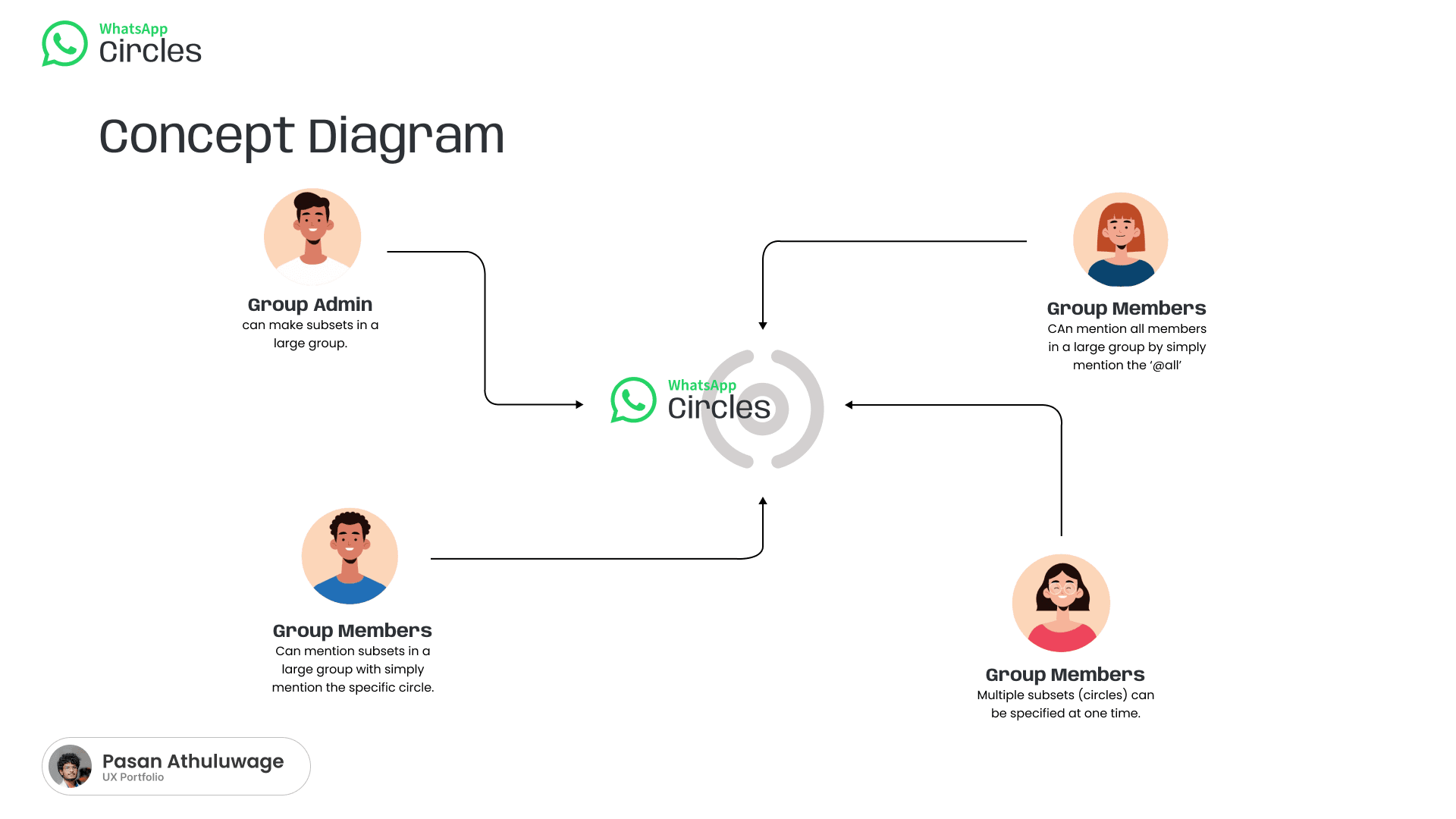
Group Admin
Creates Circles
Names Circles
Selects Circle members
Edits Circles
Removes Circles
Manages Circle membership
Group Members
Type @ in the chat
View available Circles
Select a Circle
Mention the selected Circle
Receive notifications when they belong to the mentioned Circle
From group settings to a targeted mention.
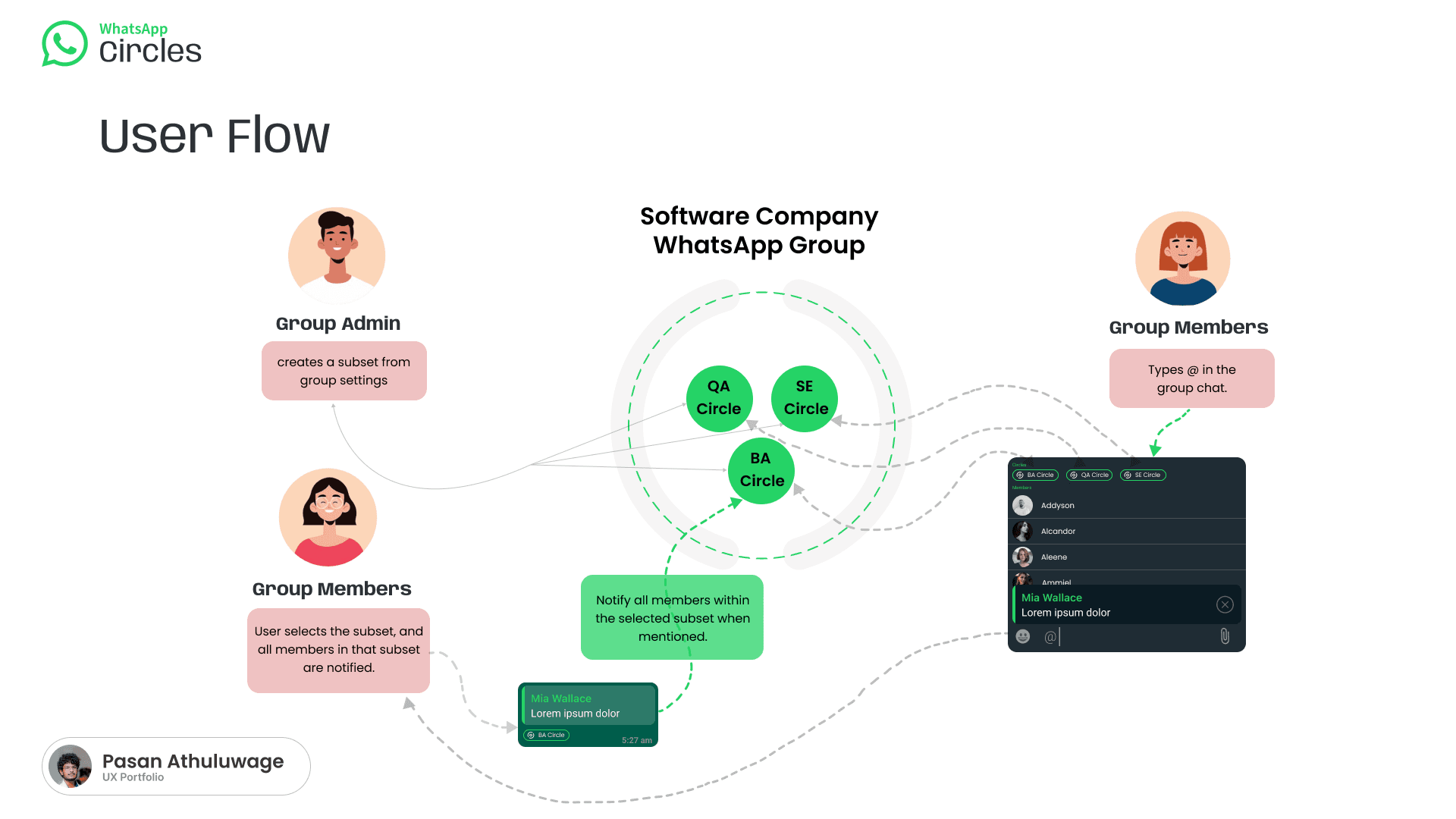
Admin Flow
Open WhatsApp group
Open group settings
Select Create Circle
Enter Circle name
Select members
Save Circle
Member Mention Flow
Open group chat
Type @
Mention menu appears
Select Circle
Write message
Send message
Circle members are notified
Circle Management Flow
Open group settings
Manage Circles
Select existing Circle
Add or remove members
Rename or delete Circle
Save changes
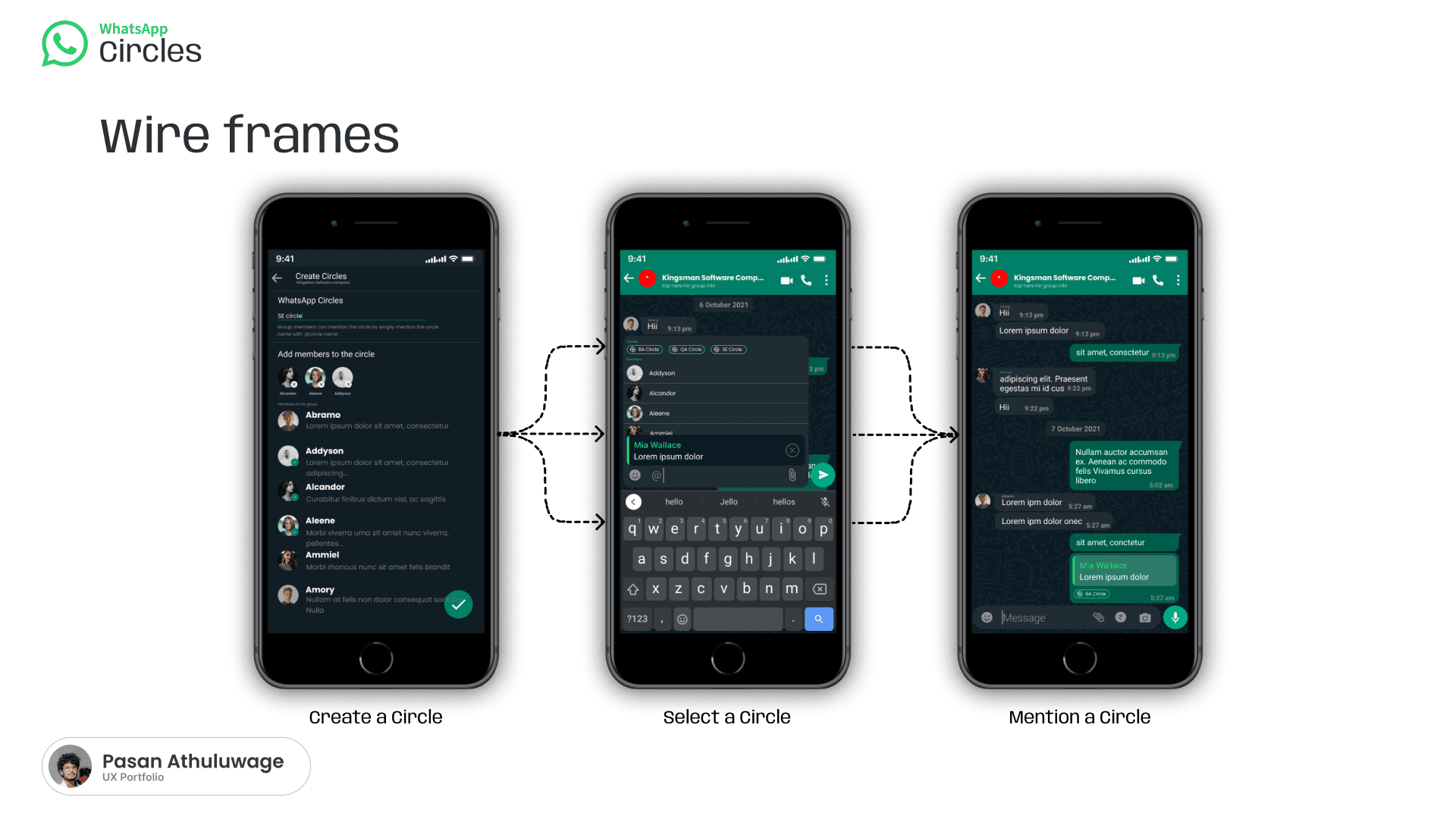
Create, select, mention.
Three wireframe stages carry the whole concept: the admin builds a Circle from a member-selection interface, a member finds it inside the familiar @ mention panel, and the mention appears as a token in the sent message.
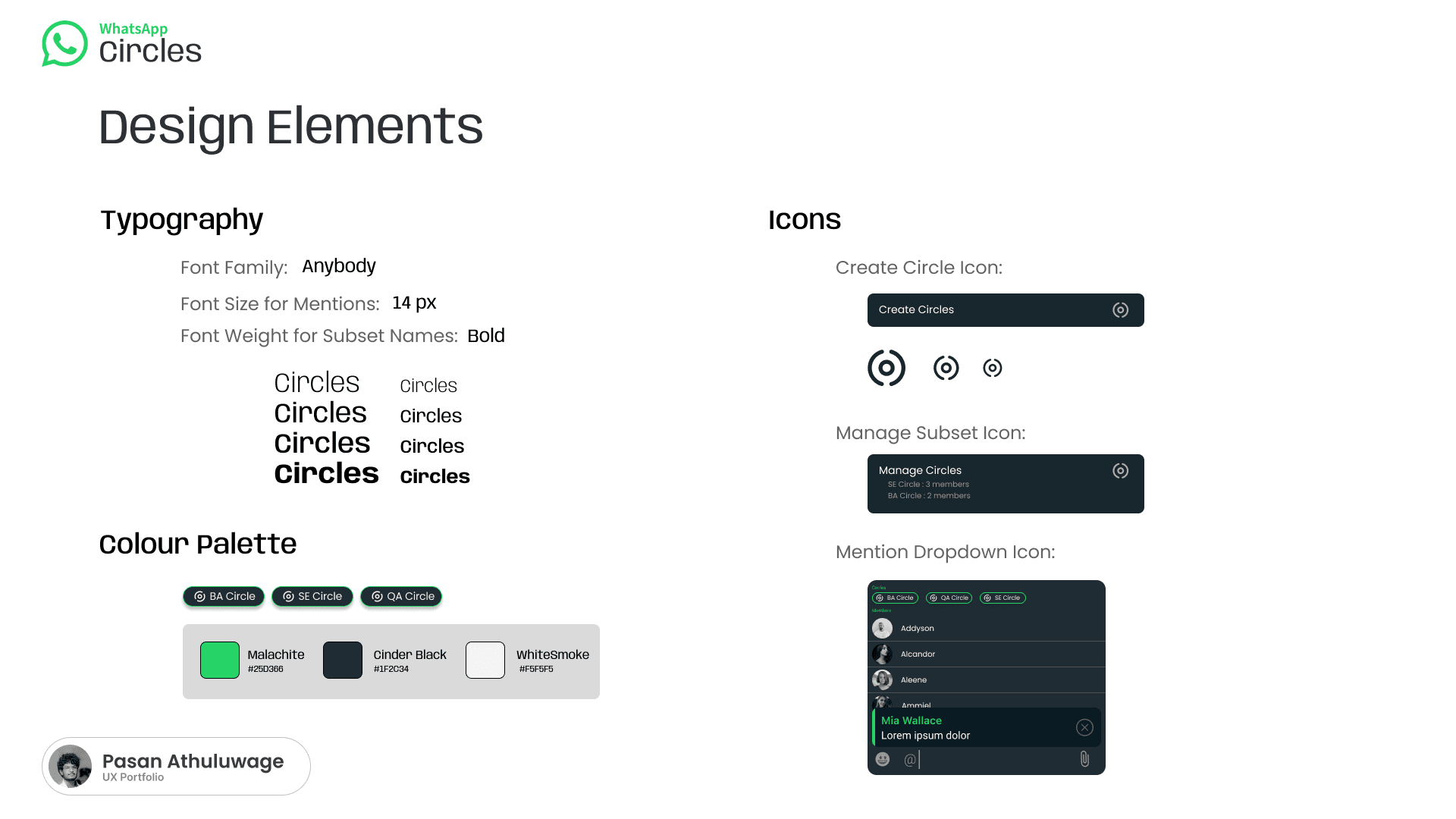
Create Circle Action
A new group-management action that allows the admin to create a Circle.
Manage Circles Action
A group-settings action for viewing Circles, editing names, adding or removing members, and deleting Circles.
Circle Icon
A circular or concentric-ring icon representing a grouped subset.
Mention Dropdown
The existing mention interface is extended to include Circles alongside individual members.
Mention Token
A selected Circle is visually presented as a mention token in the chat composer and message.
Native to WhatsApp, not a new product.
The visual concept follows WhatsApp's familiar identity intentionally, so the feature feels like a natural extension rather than a separate app. Typography uses the Anybody font family, with larger text for headings and compact sizes for mentions and interface labels.
Malachite (WhatsApp Green)
Primary actions, Circle status, active controls, confirmation, brand recognition.
Cinder Black
Dark-mode surfaces, chat interfaces, text backgrounds, high-contrast components.
White Smoke
Light backgrounds, cards, supporting surfaces, clean visual separation.
Identification is not targeting.
WhatsApp's newer member-tag feature helps identify a member's role inside a group — useful, but it doesn't fully solve the original communication problem. Tags and Circles could work together: a tag describes who a member is, while a Circle defines who should receive a particular message.
Member Tags
Member tags mainly describe an individual.
Person A = Designer
Person B = Designer
Person C = QA
Circles
Circles create a reusable communication audience.
@Design Circle
→ Person A
→ Person B
→ Person D
Remaining Gaps Addressed by Circles
Member Tag
Identifies an individual role
WhatsApp Circle
Creates a reusable communication audience
One model, many groups.
Software Company
University Class
Event Management
Family Group
Community Organization
For Group Members
Fewer irrelevant notifications
Faster communication
Easier team mentions
Better focus
Lower notification fatigue
Fewer missed messages
For Group Admins
Better member organization
Reusable internal group structures
Easier management of large groups
Greater control over communication
Less need for duplicate groups
For Teams
Faster coordination
Clearer communication
Better collaboration
Reduced manual effort
Better message relevance
For WhatsApp
Stronger support for workplace and community groups
Better large-group usability
More structured communication
Reduced pressure to create separate groups
Designed carefully, built to evolve.
Design Considerations
Privacy
Users should be able to see which Circles they belong to.
Admin Misuse
Admins should not use Circles to create hidden or misleading group structures.
Notification Expectations
The interface should clearly explain who will receive a targeted notification.
Overlapping Circles
A member may belong to multiple Circles — the system should prevent duplicate notifications.
Circle Naming
Duplicate or confusing Circle names should be handled carefully.
Permissions
Decide whether only admins, or selected members too, can create and manage Circles.
Group Transparency
The group should have a visible list of Circles and members.
Accessibility
Circle icons, labels and mention states must remain readable and accessible.
Future Enhancements
Customization Options
Colours, icons, descriptions and notification rules per Circle.
Analytics Integration
Message reach, Circle engagement, response rate, frequently used Circles.
AI-Based Recommendations
Suggest Circles from messaging patterns, roles and shared responsibilities.
Temporary Circles
Circles that automatically expire after a project, event or deadline.
Smart Notification Controls
Per-Circle notification preferences.
Circle-Level Search
Filter group messages by Circle mention.
Role-to-Circle Suggestions
Members tagged "Designer" → suggested Design Circle.
Circle Permissions
Selected members approve membership, manage info, pin messages, manage tasks.
Reflection
The strongest message isn't that WhatsApp later agreed.
The strongest message is that I identified the communication-structure gap early. WhatsApp Circles is an independent conceptual UX feature designed to improve communication inside large WhatsApp groups — allowing admins to organize members into reusable subsets and letting users mention a complete team with one action. It reduces manual tagging, notification overload, duplicated groups and missed communication, while preserving the familiar WhatsApp group experience.
Although WhatsApp has since introduced member tags, the need for reusable communication subsets still exists. Circles extends the idea from identifying individual roles to enabling focused group communication.
Product observation
Problem identification
User research
Persona creation
Feature conceptualization
Interaction design
Admin and member flow design
Design-system thinking
Final Project Statement
An independent conceptual UX exploration created before WhatsApp introduced member tags — proof that identifying a real communication-structure gap, and designing a full product response to it, came first.